MacBook Neo Falls Short as Windows Laptop Alternative Despite Budget Appeal
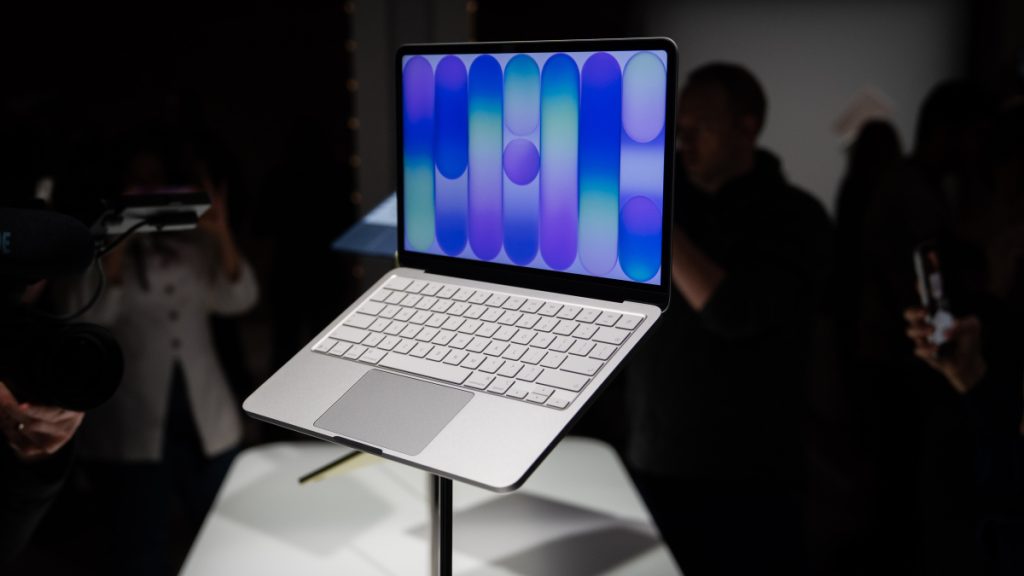
Apple’s latest MacBook Neo has captured significant attention in the technology sector this week, offering comprehensive MacBook functionality at an unprecedented $599 price point, or $499 with educational pricing. This aggressive pricing strategy makes Apple’s entry-level MacBook Air at $1,099 appear substantially overpriced by comparison.
The excitement surrounding this device stems largely from its potential to reshape the affordable and mid-tier laptop landscape. Consumer interest focuses on whether spending marginally more than a $200-300 Chromebook could deliver a nearly complete macOS experience. Additionally, users frustrated with Windows’ integration of unwanted AI capabilities and intrusive advertising might consider switching to Mac, previously deterred only by premium pricing. Industry analysts view the Neo as potentially the mid-range Windows alternative the market has long anticipated.
However, achieving this $499 price point required significant trade-offs. The device incorporates several restrictions uncommon in Apple’s traditional Mac lineup or standard Windows computers: memory is capped at 8GB regardless of storage configuration, keyboard backlighting is absent, and USB-C ports utilize older specifications that limit charging speeds and data transfer rates.
For Windows users considering migration who wonder about compatibility, the MacBook Neo technically supports Windows operation, though purchasing it specifically for this purpose isn’t advisable.
Windows Compatibility Presents Significant Limitations
The MacBook Neo cannot execute Windows natively. This capability disappeared when Apple transitioned from Intel processors to proprietary ARM-based Apple silicon. Intel-based Macs featured Boot Camp functionality, enabling direct Windows installation on dedicated partitions. Apple silicon Macs require third-party virtualization software to run Windows within virtual machines.
Parallels represents one such solution, historically serving Mac users seeking Windows access while maintaining macOS availability. The company has confirmed MacBook Neo compatibility with their application, indicating the A18 Pro processor can handle Windows virtualization workloads.
Unfortunately, this compatibility doesn’t guarantee optimal performance. Parallels explicitly stated that while the MacBook Neo may provide acceptable experiences for occasional, lightweight Windows usage such as legacy business applications or Windows-exclusive utilities, it’s unsuitable for processor-intensive or graphics-demanding Windows software.
The primary constraint involves virtual machine memory allocation. Windows 11 virtualization requires minimum 4GB RAM allocation. With the MacBook Neo’s fixed 8GB total memory, this leaves insufficient resources for macOS operation. Since Parallels operates concurrently with macOS, treating Windows as another application alongside Safari, Messages, or Mail, simultaneous resource demands can quickly overwhelm system capabilities.
Alternative Options for Windows Requirements
Users primarily seeking capable laptops within the $500-600 range without Windows compatibility concerns will find the MacBook Neo an excellent Windows laptop replacement. The device also supports Mac-compatible Microsoft applications including Word, PowerPoint, and Teams. However, users specifically requiring Windows operation and access to Windows-exclusive software should consider dedicated budget and mid-range Windows laptops such as the Acer Aspire 3 or Acer Aspire 16.
For users desiring both Windows and macOS capabilities, alternative MacBook models merit consideration. Within similar price ranges, refurbished M1 MacBook Air models with 16GB RAM offer superior virtualization performance. While the Neo surpasses M1 performance in certain areas, additional memory significantly improves Windows operation within Parallels.